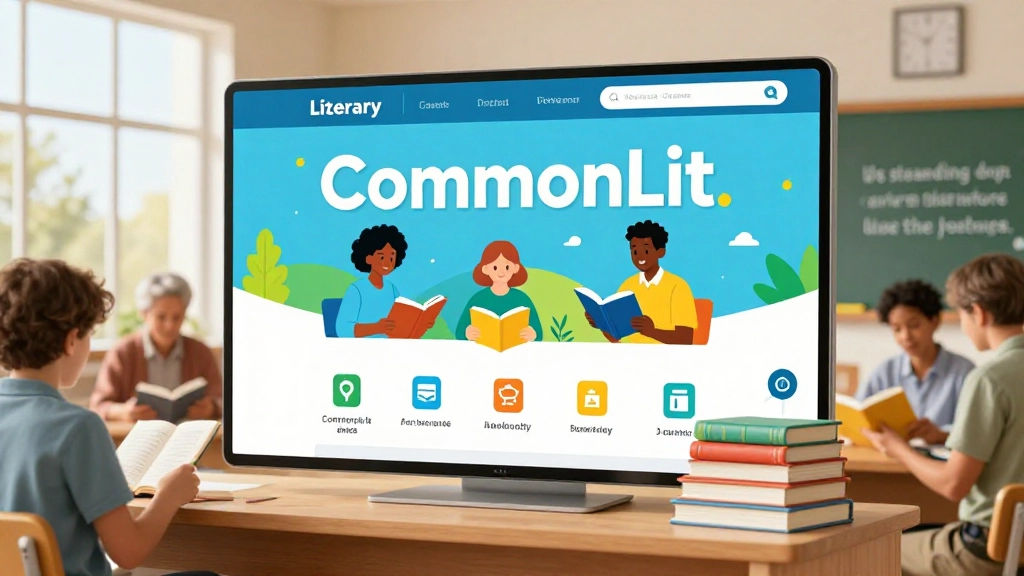
CommonLit is a leading nonprofit educational platform designed to improve literacy for K–12 students. With free reading passages, lesson plans, assessments, and interactive tools, CommonLit helps both teachers and students excel in reading comprehension and critical thinking.
Whether you are a student trying to access CommonLit student login, a teacher looking for CommonLit lessons, or a school administrator exploring CommonLit platform features, this article provides a complete, in-depth guide to using CommonLit effectively.
What Is CommonLit?
CommonLit is an online literacy platform created to provide free reading and comprehension resources for students in grades 3–12. It’s a nonprofit initiative aimed at making high-quality educational content accessible to all learners, regardless of school funding.
Core features include:
- Reading comprehension passages for multiple grade levels
- Lesson plans aligned with Common Core and state standards
- Interactive online lessons for in-class and remote learning
- Assessments and quizzes for tracking student progress
- Teacher and student dashboards for managing assignments
These resources make CommonLit a versatile platform for both classroom and remote instruction.
CommonLit Login – Step-by-Step Guide
Accessing the CommonLit platform requires logging in. Both students and teachers have separate login processes.
Teacher Login
- Go to CommonLit website
- Click on Login at the top right corner
- Select Teacher Login
- Enter your email and password (or sign up if you don’t have an account)
- Once logged in, teachers can assign lessons, monitor student progress, and access teaching resources
Student Login
- Visit CommonLit student login page
- Select Student Login
- Enter credentials provided by the teacher
- Students can access assigned readings, quizzes, and interactive lessons
Tip: Students may also use a class code provided by the teacher for quick login without creating an account.
Logging in provides access to the full CommonLit library, including reading passages, assessments, and worksheets.
Exploring CommonLit Lessons
CommonLit lessons are designed to improve literacy skills through reading, discussion, and comprehension.
Components of a CommonLit Lesson
- Reading Passage – a short story, article, poem, or informational text
- Discussion Questions – prompts to encourage critical thinking
- Vocabulary Activities – words and definitions contextualized within the text
- Comprehension Quiz – multiple-choice or open-ended questions to assess understanding
- Optional Assignments – worksheets, writing tasks, or group projects
Lessons are curriculum-aligned, meaning they meet educational standards for each grade level.
CommonLit Reading Materials
The platform hosts a variety of reading materials that cover multiple genres and topics.
Types of Texts Available:
- Short Stories and Articles – fictional and non-fictional content
- Poems – classical and contemporary poetry
- Historical Documents – primary sources and speeches
- Science and STEM Texts – informational passages on biology, physics, and more
- Text Sets – collections of passages around a theme
Example Table: CommonLit Text Types by Grade Level
| Grade Level | Text Type | Skill Focus |
|---|---|---|
| 3–5 | Short stories, poems | Vocabulary & comprehension |
| 6–8 | Articles, text sets | Analysis & inference |
| 9–12 | Classic literature, informational texts | Critical thinking & literary analysis |
This wide range of reading materials allows teachers to match content with student interests and reading levels.
CommonLit Worksheets and Assignments
CommonLit worksheets supplement reading lessons and help students practice comprehension.
Typical Worksheet Features:
- Multiple-choice comprehension questions
- Open-ended essay prompts
- Vocabulary and context exercises
- Reflection or discussion activities
Teachers can assign worksheets digitally or print them for classroom use, making them flexible for different learning environments.
Interactive Lessons and Assessments
CommonLit interactive lessons are engaging, student-centered activities that include:
- Annotation and highlighting tools to actively engage with text
- Quizzes embedded within passages for instant feedback
- Teacher dashboards to monitor performance
Assessments allow teachers to measure:
- Reading comprehension
- Vocabulary mastery
- Critical thinking and analysis
- Progress over time
This combination ensures students practice skills in a guided, measurable way.
CommonLit Text Sets and Story Library
The CommonLit story library is a collection of hundreds of passages and articles organized by grade, theme, and skill.
Text Sets Include:
- Thematic units – e.g., courage, social justice, history
- Skill-based sets – e.g., identifying evidence, analyzing tone
- Grade-appropriate collections for targeted instruction
Teachers can use text sets to design multi-day lessons or project-based learning units, enhancing engagement and comprehension.
CommonLit for Remote Learning
In today’s online education environment, CommonLit online lessons are particularly valuable.
How CommonLit Supports Remote Learning:
- Assign readings and quizzes online
- Track student completion and comprehension
- Provide real-time feedback through digital dashboards
- Access materials on computers, tablets, and mobile devices
This makes CommonLit ideal for hybrid or distance learning classrooms.
Advantages of Using CommonLit
CommonLit offers benefits for teachers, students, and schools:
- Free access to high-quality literacy resources
- Curriculum-aligned content for K–12 grades
- Supports classroom and remote learning
- Interactive tools for comprehension and engagement
- Tracks progress with assessments and quizzes
Quote: “CommonLit ensures every student has access to high-quality reading materials and meaningful literacy experiences.”
How to Make the Most of CommonLit
Tips for Students:
- Log in regularly using CommonLit student login
- Complete all assigned readings and quizzes
- Use highlighting and annotation tools
- Participate in class discussions using provided discussion questions
- Review vocabulary and comprehension worksheets
Tips for Teachers:
- Explore CommonLit text sets for thematic planning
- Assign lessons matching students’ reading levels
- Track performance with CommonLit assessments
- Incorporate interactive lessons for online engagement
- Use worksheets and discussion prompts for deeper comprehension
CommonLit Homework Help and Classroom Support
Students can use CommonLit resources for:
- Completing reading assignments
- Practicing vocabulary and comprehension skills
- Essay writing and reflections
Teachers can leverage CommonLit worksheets, discussion questions, and assessments to supplement lessons and monitor student progress.
This combination fosters a supportive and collaborative learning environment, even outside the classroom.
CommonLit Teacher Dashboard
The CommonLit teacher dashboard is a key feature for educators:
- View student progress in real time
- Assign lessons and quizzes
- Access detailed analytics and reports
- Customize assignments based on student performance
This allows teachers to adapt lessons to meet the needs of each student, improving literacy outcomes.
CommonLit Student Dashboard
The student dashboard provides:
- Assigned readings and quizzes
- Progress tracking and scores
- Highlighting and annotation tools
- Access to past assignments for review
Students can take control of their learning, improving accountability and comprehension skills.
Using CommonLit Across Grade Levels
CommonLit supports all K–12 grades, with appropriate differentiation:
- Elementary (Grades 3–5) – focus on vocabulary and basic comprehension
- Middle School (Grades 6–8) – emphasize analysis, inference, and critical thinking
- High School (Grades 9–12) – strengthen literary analysis, argumentation, and synthesis
This ensures that every student receives age-appropriate, challenging content.
CommonLit Text Analysis Tools
Teachers and students can use built-in text analysis tools:
- Highlight key ideas and evidence
- Annotate passages for comprehension
- Track unfamiliar vocabulary
- Prepare for writing assignments or class discussions
These tools enhance active reading skills and prepare students for higher-level literacy tasks.
FAQs About CommonLit
Q1: Is CommonLit free for all users?
A1: Yes, CommonLit is completely free for teachers and students worldwide.
Q2: Can students use CommonLit at home?
A2: Absolutely, it’s ideal for remote and hybrid learning.
Q3: Do teachers need a school account?
A3: Teachers can sign up individually or use school-provided accounts for class management.
Q4: Are CommonLit lessons aligned with standards?
A4: Yes, all lessons are aligned with Common Core and state standards.
Q5: Can students submit work digitally?
A5: Yes, students can complete readings, quizzes, and worksheets online.
Final Thoughts on CommonLit
CommonLit is a comprehensive literacy platform providing free, high-quality educational resources for students and teachers. From reading passages and lessons to interactive assessments and text sets, CommonLit supports both classroom instruction and remote learning.
With its standards-aligned content, interactive tools, and progress tracking, CommonLit equips students to build reading comprehension, critical thinking, and analytical skills, while helping teachers manage assignments and measure learning outcomes efficiently.
For any educator or student seeking accessible, effective, and engaging literacy resources, CommonLit is an invaluable tool in today’s digital learning environment.